How to accept M‑Pesa payments on your website in Tanzania
Your customers already pay with their phones. The three ways to take M‑Pesa, Airtel Money and Mixx by Yas on your website, what each one needs, and how to pick the right one for your business.
 Jay ShivramFounder, JS Solutions9 min read
In this post
If your customers can pay you with M-Pesa from their phone, they expect to pay your website the same way. In Tanzania there are three ways to make that happen: show your Lipa Namba and confirm each payment by hand, connect a payment gateway that sends a PIN prompt to the customer's phone and tells your site when the money arrives, or connect to Vodacom's M-Pesa API directly. For most businesses, the gateway is the one that pays for itself.
I'm Jay Shivram, and I run JS Solutions, a web design and development business in Dar es Salaam. When someone asks me for an online shop, a booking site or a members' area, the next question is almost always "can people pay with M-Pesa?" So here is everything I'd tell you over a cup of chai: what each option looks like for your customer, what it needs from you, and where it tends to go wrong.

What "taking M-Pesa on your website" really means
Let's picture it from your customer's side, because that's the part that sells.
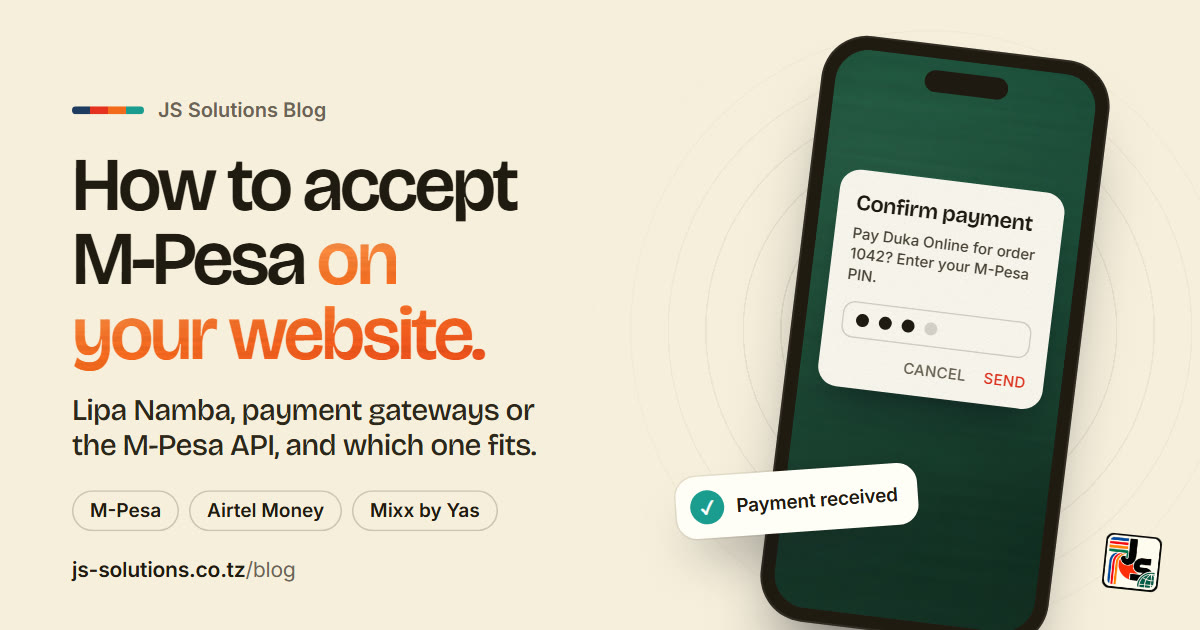
They choose a product or a booking on your site and tap Pay. They type their phone number. A second later their phone buzzes with a prompt asking them to confirm the payment with their M-Pesa PIN. They enter it, and before they've even put the phone down, your website says "Payment received, thank you" and you get the order.
No copying a number. No "send me the screenshot". No waiting for you to check your messages.
Compare that with what a lot of businesses do today: "Send the money to this number, then WhatsApp me the confirmation." It works, but it asks your customer to do five steps where one would do, and it asks you to check every single payment yourself. A screenshot proves nothing on its own, because anyone can edit one. The real proof is the transaction in your own M-Pesa statement.
The good news: the smooth version is no longer something only banks and big companies can have.
Option 1: show your Lipa Namba on the website
This is the simplest setup, and for some businesses it's genuinely the right one.
Your checkout page shows your Lipa Namba (your M-Pesa till number) and the amount to pay. The customer pays from their phone, then sends you the transaction reference, either in a box on the site or on WhatsApp. You check it against your statement and confirm the order.
Good for: a few orders a week, made-to-order work, or anything where you'd want to talk to the customer before confirming anyway.
The catch: every payment is checked by hand, by you. On a busy day that turns into an hour of matching references, and one tired mistake means an order goes out unpaid or a paying customer waits for nothing.

Option 2: a payment gateway (the one most businesses need)
A payment gateway is a company that sits between your website and the mobile money networks. In Tanzania you'll come across names like Selcom, AzamPay, ClickPesa and Pesapal. Your developer connects your site to one of them once, and from then on it handles the payment step for you.
Here's what happens behind the scenes when your customer taps Pay:
- Your website sends the gateway the amount and the customer's phone number.
- The gateway sends the PIN prompt to the customer's phone.
- The customer enters their PIN.
- The gateway tells your website, directly, that the payment went through.
- Your website marks the order as paid and sends the confirmation.
The big advantage is that one gateway usually covers M-Pesa, Airtel Money and Mixx by Yas (the new name for Tigo Pesa) together, and some take Visa and Mastercard too. That matters more than people think. Not all of your customers are on Vodacom, and a customer who can't pay with the money they have is a customer who leaves.
The money then settles into your business bank account, on a schedule that depends on the provider.

How to choose a gateway
They all promise to be fast and easy, so compare them on the things that actually affect you:
- Which networks and cards it covers. M-Pesa, Airtel Money and Mixx by Yas at the very least. Cards if you sell to visitors or customers abroad.
- The fees. Most charge a percentage of each payment, and some add a setup or monthly fee. Ask for current rates in writing and compare them on a typical order of yours, not on the headline number.
- How fast the money reaches your bank. Same day, next day or weekly makes a real difference to your cash flow.
- Refunds. Can you refund a customer from a dashboard, or does it take emails and waiting?
- A test mode. A good gateway lets your developer test everything with fake payments before a single real shilling moves.
- Support you can reach. When a payment gets stuck on a Saturday, you want a phone number that answers.
Option 3: connect to the M-Pesa API directly
Vodacom Tanzania opened its M-Pesa API to developers in 2020, so it's possible to connect your website straight to M-Pesa with no gateway in between.
It sounds tidier, and it can mean lower fees. But it only covers M-Pesa, so Airtel Money and Mixx by Yas customers need separate deals and separate work. Approval also tends to take much longer than signing up with a gateway, and you're responsible for more of the technical side.
It starts to make sense when you're handling a high volume of payments and the fee difference is worth real money. For most businesses starting out, a gateway gets you live faster and covers more of your customers.
What you'll need before you start
For a gateway or the M-Pesa API, have these ready. Each provider has its own list, so ask for theirs early, but expect something like:
- Your business registration (your BRELA certificate)
- Your TIN
- A business bank account for the money to settle into
- ID for the business owners or directors
- Your website address, often with your terms, privacy and refund policy already on it
That last point catches people out. Providers want to see what you sell and how you treat customers before they switch you on, so a half-finished site can slow the approval down. It's worth building the policy pages properly from day one.
Where online payments go wrong, and how a good build prevents it
Getting the PIN prompt to appear is the easy part. What separates a payment page you can trust from one that causes headaches is how it handles the messy moments:
- The customer doesn't enter their PIN in time. The prompt expires. Your site should say so clearly and let them try again, not leave them staring at a spinning wheel.
- The network is slow. Sometimes confirmation takes a little longer to arrive. The site should wait for it properly instead of telling a paying customer the payment failed.
- The same order gets paid twice. It happens when an impatient customer taps Pay again. Your system should spot it so you can refund the extra.
- "Paid" must come from the gateway, never from the customer's screen. An order should only be marked paid when the gateway itself confirms it. This one detail is what stops fake payments.
- Your records have to match. At the end of the month, the orders on your website, the gateway's report and your bank statement should agree. A simple report makes that a ten-minute job instead of a weekend.

Don't remove the human option
Even with the smoothest checkout in Tanzania, some customers will want to ask a question first: is it in stock, can you deliver to Mbezi, can I pay half now? Keep your WhatsApp button and your phone number on the page. A payment gateway should make paying easier, not make you harder to reach.
A quick word on receipts and records
A payment confirmation from a gateway is proof that money moved. It is not the same thing as a tax receipt. If your business issues EFD or VFD receipts, keep issuing them for online sales the same way you do for sales in person, and keep the gateway's statements with your records. Your accountant will thank you.
So which option is right for you?
- A handful of orders a week, or you always talk to the customer first: start with your Lipa Namba on the website and a clear "send us your reference" step.
- Regular online orders, bookings, tickets, fees or subscriptions: use a payment gateway. It's the right answer for most businesses.
- Very high volumes, mostly M-Pesa, and a developer to look after it: the direct M-Pesa API is worth a look.
How I can help
If you're planning a new website and want people to pay on it, tell me at the start. Online payment can be added to a site I build, and a site where people manage products, bookings or orders fits naturally into my Managed Business Website package. If you need something bigger, like a client portal, ticketing or monthly billing, that's a custom web application, built around how your business actually works.
Already have a website? I can add payments to it too, as long as it was built in a way that allows it. Send me the address and I'll tell you honestly what it would take.
Message me on WhatsApp or by email, in English or Swahili. Tell me what you sell, roughly how many orders you get, and which networks your customers use, and I'll suggest the simplest setup that does the job.
Written by
Jay Shivram
Founder of JS Solutions, a web design and development business based in Dar es Salaam, Tanzania.